
You can change the VNC password using SolusVM.
1. Log in to your SolusVM Control Panel.
2. If you have multiple VPSs, select the appropriate one.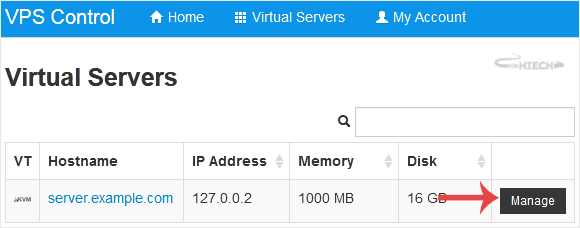
3. Scroll down. Under the VNC Password tab, enter your new password. Then click on Change.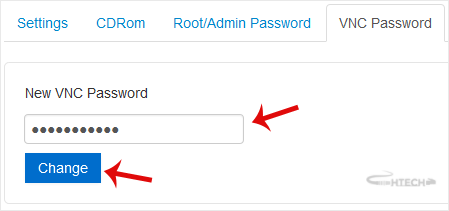
4. Click Yes to confirm and then reboot your VPS.
How to Change the VNC Password in SolusVM Print
- 0
Was this answer helpful?
Related Articles
How to Reboot/Restart VPS in SolusVM
You can restart VPS via the command line or SolusVM.How to Reboot/Restart a VPS via SolusVM?1....
How to Reinstall OS Using SolusVM OS-Reinstaller
You can easily Install/Reinstall the operating system using SolusVM. However, note that this...
How to Turn APIC, ACPI, VNC, or PAE On or Off in SolusVM
SolusVM allows you to enable or disable VNC, PAE, APIC, and ACPI.1. Log in to your SolusVM...
How to Change the Disk Driver to Virtio or IDE in SolusVM
We recommend changing the disk driver to Virtio or IDE before installing the operating system....
How to Change the Network Card to Virtio, Intel PRO, or Realtek in SolusVM
You can change your network card from the SolusVM control panel.
1. Log in to your SolusVM...