
You can reply to emails using Outlook 2019 instead of cPanel Webmail.
1. Open Outlook 2019.

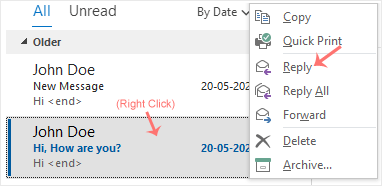
2. Right-click the email you want to reply to and select Reply.
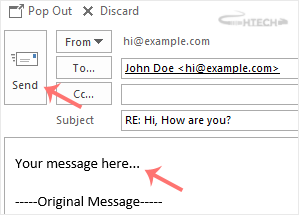
3. On the right side, the response box will open. Enter your message and click Send.
You can reply to emails using Outlook 2019 instead of cPanel Webmail.
1. Open Outlook 2019.
2. Right-click the email you want to reply to and select Reply.
3. On the right side, the response box will open. Enter your message and click Send.