
One tab, five ready-made blocks
The Set up a tool tab in the client area builds a complete, ready-to-paste configuration block for five tools: AWS CLI, rclone, s3cmd, Cyberduck, and Veeam Backup & Replication. Every block is built from the customer's own endpoint and region, so nothing needs to be typed in by hand except the access key and secret key:
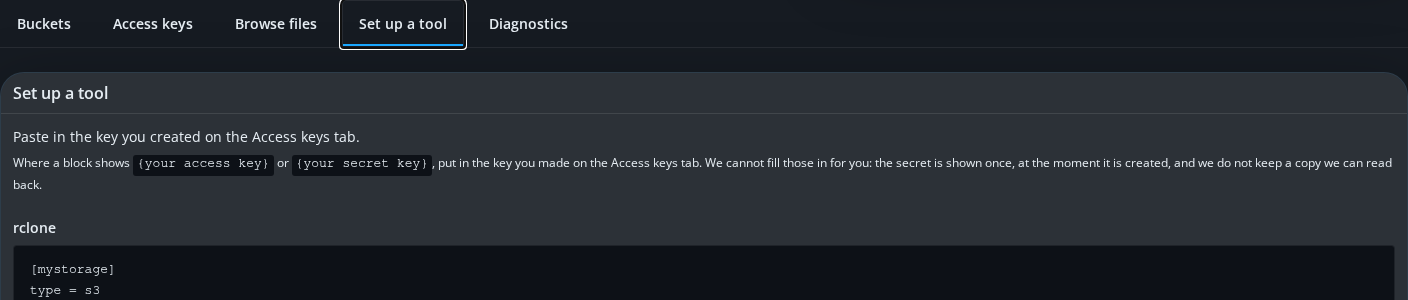
Wherever a block shows {your access key} or {your secret key}, that is a placeholder for the key created on the Access keys tab — this module cannot fill either value in for you, because the secret is shown once, at the moment it is created, and is never stored anywhere it could be read back.
Cyberduck and rclone use a generic S3 profile on purpose
Cyberduck's block tells the customer to choose the generic S3 (Amazon Simple Storage Service) connection profile with a custom server, and rclone's block sets provider = Other. Neither uses a vendor-branded profile, even where one exists, because doing so would name the storage vendor on a product built to be white-label. Functionally it is also the more correct choice: a vendor-specific profile can assume vendor-specific behaviour that this endpoint, deliberately unbranded, does not promise.
The AWS CLI block uses --endpoint-url
Because this is not Amazon's own S3, every AWS CLI command in the block carries an explicit --endpoint-url pointing at the customer's own regional endpoint, for example:
aws s3 ls --endpoint-url https://s3.<region>.<your-domain>aws s3 cp /path/to/your/file s3://<bucket>/ --endpoint-url https://s3.<region>.<your-domain>
Nothing further needs to be set for uploads to verify correctly. This platform checks the integrity of what the AWS CLI's newer default upload path actually sends, so no extra checksum setting or workaround is needed or offered. If an upload ever comes back with an integrity error, it means the file changed in transit, and retrying is the correct response.
Veeam gets one extra tip worth reading
The Veeam block adds a note about creating an upload-only access key on the Access keys tab for backup jobs specifically: a key created with that role can write new backups but is refused on both download and delete. A compromised backup agent using that key cannot read or destroy what it has already sent.