
An update happens only because you started it
A signed-in administrator opens Addons → hTech IDrive e2 Tools → Update, presses the button, and confirms. That is the only way a new version is ever installed — there is no schedule, no background job, and no setting anywhere that can install anything on its own:
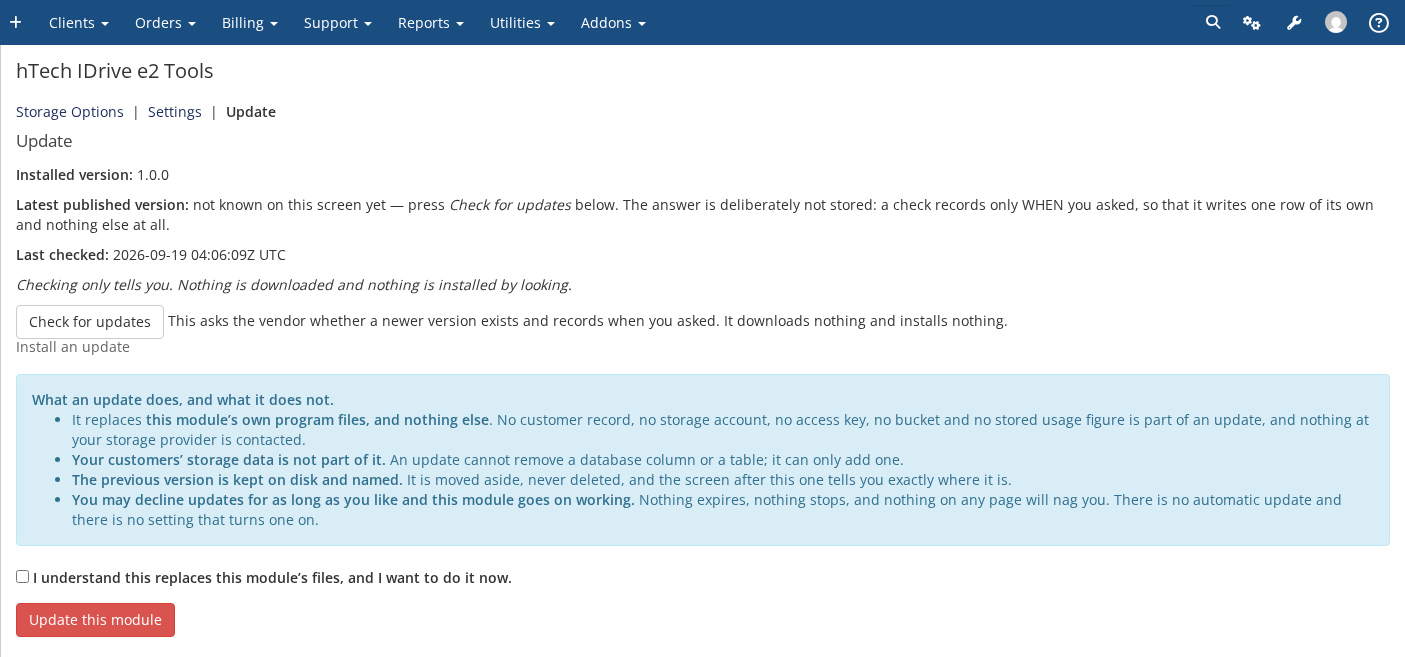
Opening the Update page only checks: it fetches the published manifest, verifies its signature, and compares the published version against yours. Nothing is downloaded and nothing on your server changes just from looking. You can open this page as often as you like.
You may decline updates indefinitely
There is no expiry and no nag. An installation that is never updated keeps provisioning, keeps suspending, keeps terminating, and keeps serving your customers' buckets for as long as you leave it alone. This holds even if your licence itself lapses: a licence check that cannot reach hTech's server never suspends, terminates or degrades storage that is already provisioned (see the article on licensing).
What pressing Update actually does
If any step below cannot be verified, nothing moves and your working installation is left exactly as it was:
- the update manifest is fetched and its signature verified;
- your PHP version, your ionCube loader version and your WHMCS version are checked against what the release declares, each refused by its own name if it fails;
- the release archive is downloaded over HTTPS and its checksum verified against the manifest;
- every file inside the archive is checked before anything is extracted — nothing is allowed to land outside this product's own two module directories;
- the new version is staged beside the live one, and proven to actually load on your server, before anything is swapped;
- the swap itself is a rename, not a copy over the top, and a health check runs immediately afterward.
The previous version is kept, not deleted
Both of this module's directories, as they were immediately before the update, are moved into this module's update storage directory rather than removed. Nothing in this module prunes them automatically — if you want the space back later, remove them yourself once you're satisfied the new release is working. This directory lives outside your web root, since a previous version is a complete copy of this module's program files and nothing on your site should be able to fetch it.
An update replaces this module's own program files and nothing else. It cannot remove a database column or table — the schema changes a release carries are add-only — and your customers' storage accounts, buckets, keys and usage history are never touched by it.